About Zombie Shooter

What is Zombie Shooter?

Zombie Shooter is a free typing game that runs in your browser — no download, no sign-up. Instead of aiming a mouse, you aim with your keyboard: every zombie and slime that shambles toward you carries a word, and typing that word destroys it. It turns typing practice into a fast, arcade-style survival game.

Across 20 escalating levels you will face three kinds of regular enemies — Zombies, Slimes and speedy Horn Slimes — and a rotating cast of three bosses: the King Slime, the Orc and the Armor Orc. Bosses are fought with full sentences, which trains accurate, sustained typing rather than just short bursts.

Zombie Shooter is part of TypeLemon, a typing platform with solo practice, live multiplayer races and global leaderboards. Whether you want to warm up before a race, improve your accuracy, or just play something that rewards fast fingers, jump in above and start typing.

Two ways to see the game

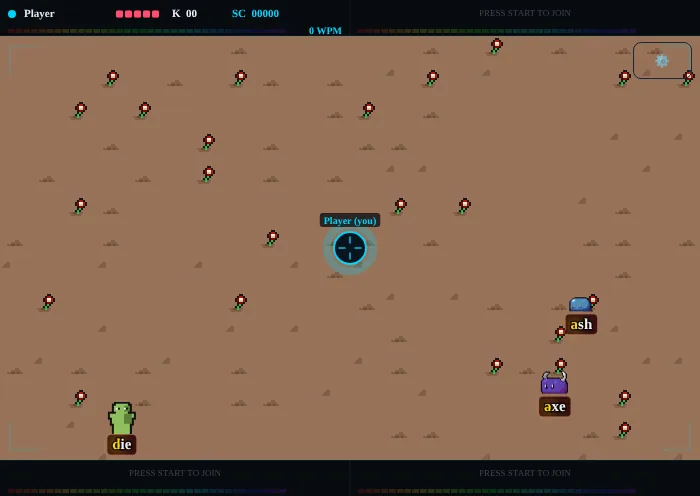
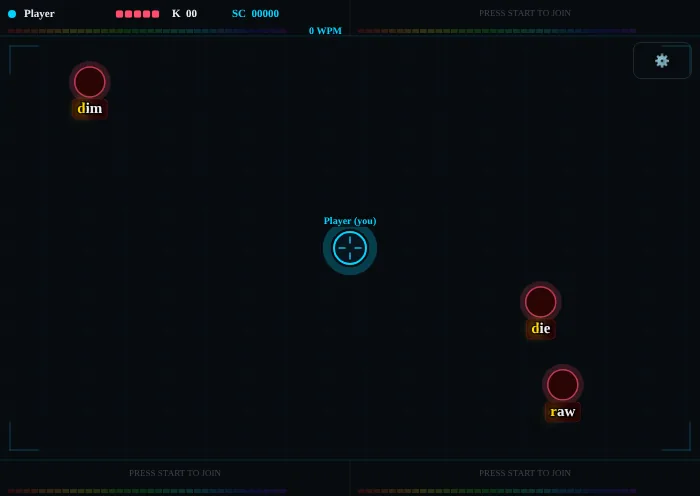
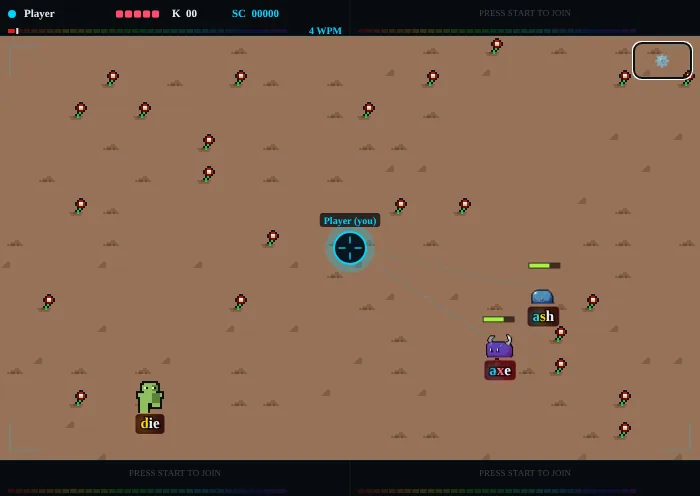
Zombie Shooter has two looks. The default draws a tiled floor with pixel-art monsters; the minimal look swaps them for plain glowing circles on a dark board, which is lighter on older devices and easy on the eyes. Both play exactly the same — switch any time in the settings menu (see the Settings & Controls tab).

Zombie Shooter sprite look: a tiled floor, a green Zombie, a slime and a horned slime walking toward the cyan player crosshair
The default look: tiled floor and pixel-art monsters.
Zombie Shooter minimal look: glowing circles with words on a dark board approaching the player crosshairs
The minimal look: the same game with plain circles.

How to play Zombie Shooter

  1. Zombie Shooter sprite look: a tiled floor, a green Zombie, a slime and a horned slime walking toward the cyan player crosshair
    The default look: tiled floor and pixel-art monsters.
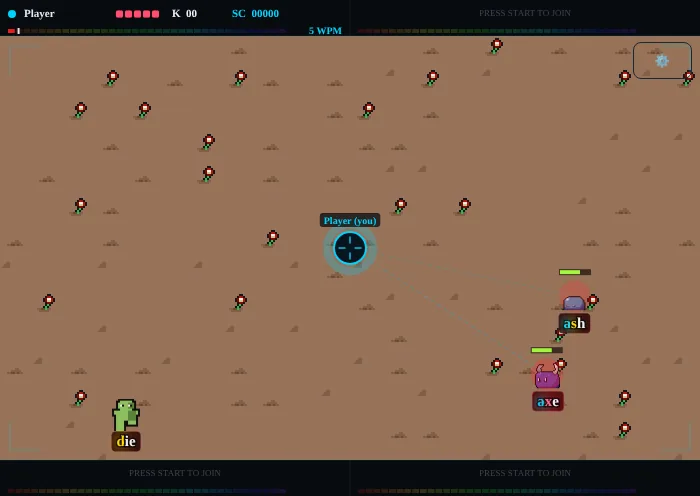
    Find your target. Zombies and slimes walk in from every edge of the screen toward you — the cyan crosshair labelled “Player (you)”. Each enemy carries a short word on a tag. Anything on screen can be shot; there is no range ring to worry about.
  2. Enemies with their words walking toward the two players; the status bar shows each player’s HP, kills, score and WPM
    Each enemy carries a word: type it to shoot. The bar on top shows HP, kills (K), score (SC) and WPM.
    Type the word. Type the letters of any enemy's word, in order. The next letter you need is highlighted in gold and letters you have already typed turn cyan. Every correct letter fires a bullet at the nearest enemy that matches, and each hit takes one point off its green health bar — a word has as many points as it has letters. Wrong keys simply do nothing: no penalty, no reset.
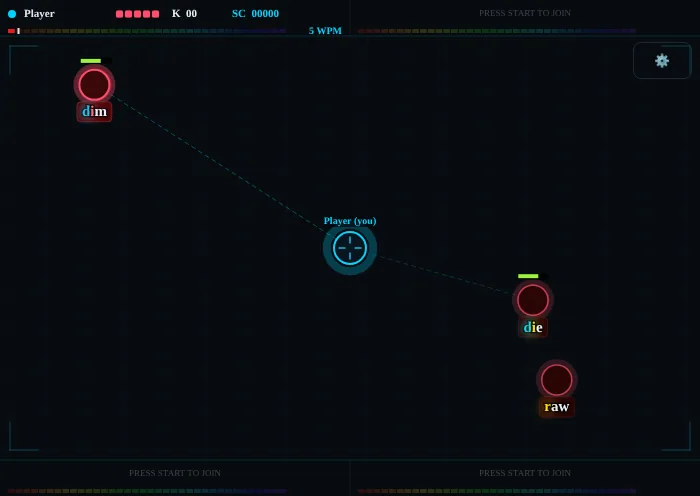
  3. The minimal look with plain circles and their words, and the status bar with HP, kills, score and WPM
    The status bar in the minimal look: HP, kills, score and WPM for every player.
    Score and kills. Each kill scores your current level × 100, plus up to 100 more the closer the enemy was when it fell. The bars across the top show your HP, kills (K), score (SC) and live typing speed (WPM). The minimal look shows the same information, just with circles instead of sprites.
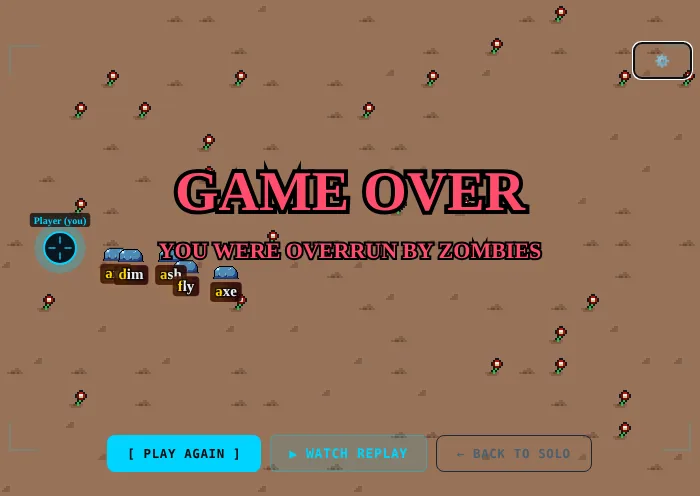
  4. The Game Over screen: the level reached, kills, time and best streak, with Play Again, Watch Replay, Share and My Progress
    Game over: Play Again starts a new run.
    Guard your health. You start with 10 HP, shown as pink squares in the top bar. Every enemy that reaches you costs 1 HP, so deal with whatever is closest — or fastest, like the Horn Slime — first. At 0 HP it is Game Over: press Space or Enter, or Play Again, to start a new run.
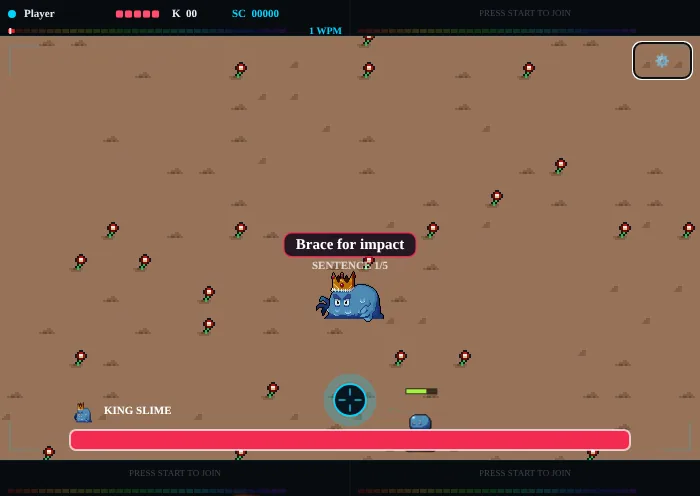
  5. The King Slime boss with its sentence above it and the boss’s name and health bar at the top
    A boss fight: type the sentence; the long bar at the top is the boss’s health.
    Beat the bosses with sentences. Every 3–4 regular waves, a boss-only wave arrives with a “Boss incoming” warning. A boss is beaten by typing its full sentences — spaces included — shown above it, one after another, from 5 sentences up to 10 as the run goes on. The long bar at the top is the boss's total health. Regular enemies stop spawning while it is here.
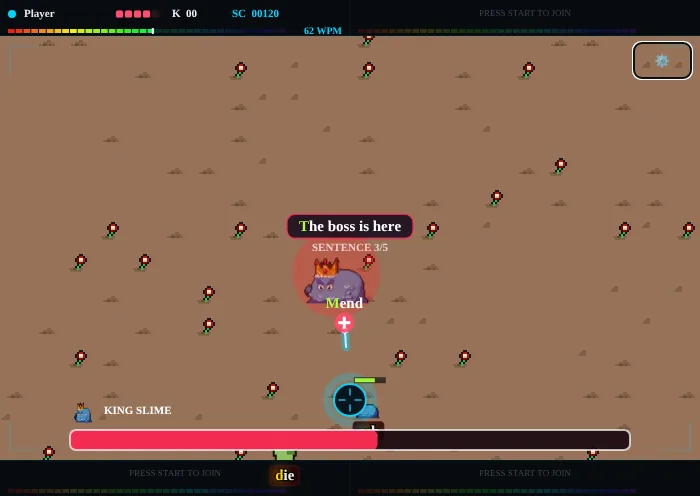
  6. A glowing heal item with a short word dropped during a King Slime fight
    The heal item: type its word to refill your HP.
    Grab the heal. Once you finish the boss's second sentence, a glowing + item with a short word drops. Type that word to collect it and refill your HP to full — then get back to the sentences.
  7. Clear all 20 levels. Each boss you beat gives you +1 max HP (up to 20). As levels climb, enemies move faster and words get longer. Clear level 20 to win.

Tips for a higher score

Settings & controls

The ⚙️ settings button

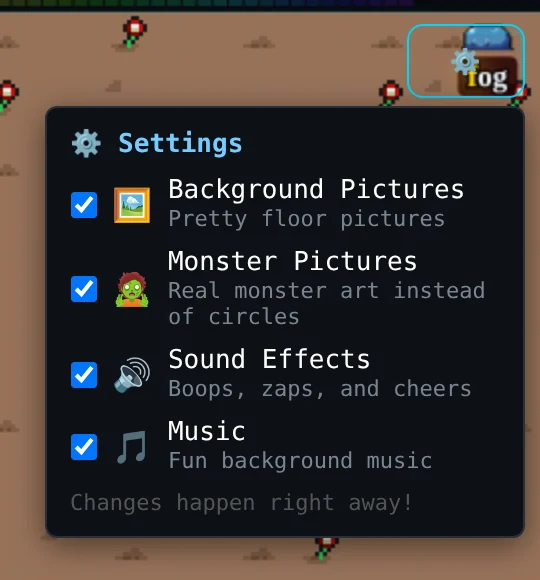
Look for the small gear button in the top-right corner of the play field, just under the top status bar. Click it to open the menu and click it again to close it. Each switch takes effect straight away, even mid-game.

The settings menu: player list, reduce motion, match mode, bot companions, sound, music, hide buttons, keyboard, typing language, monster and background pictures
The settings menu behind the ⚙ button at the top right.
Background Pictures
Turns the tiled floor on or off. Off gives a plain dark board.
Monster Pictures
Pixel-art monsters (on) or simple glowing circles (off). Together with the background switch, this is how you choose between the sprite look and the minimal look.
Sound Effects
Shots, hits and boss cues, generated live in your browser.
Music
The background music loop.

Your choices are remembered in this browser and apply to every game where they make sense (sound, music, pictures).

Typing language

The ⚙ settings menu has a Typing language list: English, Español, Français, Deutsch, Português and Italiano. It changes the enemy words and boss sentences you type — not the language of the site. Words use plain a–z letters without accents, so any normal keyboard works. The choice takes effect the next time you start a game, is remembered in your browser, and can't be changed mid-game.

Keyboard controls

Start
Press any key on the title screen (on a phone, tap the screen).
Type
Letters a–z shoot; Space is used inside boss sentences. Upper and lower case are the same.
Pause
Esc pauses a solo game. Esc, Space or P resumes; Q quits to the title screen.
After a game
Space or Enter plays again.
Phones & tablets
Tap the on-screen keyboard that appears under the game.
The Paused screen with Resume and Quit to Title
Paused: Esc, Space or P to resume.

Character profiles: enemies & bosses

Meet everything that is trying to get to your crosshair. Gameplay notes come straight from the game; the loves, dislikes and personalities are TypeLemon lore.

Enemies

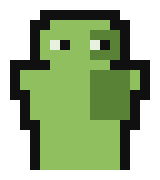
Pixel-art green Zombie from the typing game Zombie Shooter

Zombie Enemy

The classic shambler — half of every wave.

The Zombie is where every run begins. It trudges toward your crosshair with one word hanging over its head and no plan beyond "forward". Individually harmless, it is the backbone of every wave — let a few slip past while you chase fancier targets and they quietly chew through your health.

Loves
Fresh brains · Slow, steady marches · Players who hesitate
Dislikes
Fast typists · Perfectly spelled words · Daylight
  • Makes up half of all regular enemies that spawn.
  • Carries a single word; finish it to defeat the Zombie.
  • Costs you 1 HP if it reaches the centre.

Pixel-art blue Slime enemy from the typing game Zombie Shooter

Slime Enemy

The bouncy blob — a quarter of every wave.

Slimes squelch in between the Zombies and break your rhythm: a different silhouette, a different pace of movement, and a new word to read at exactly the moment you were settling into a groove. Stay calm, lock on to the gold letter, and they pop with a satisfying splat.

Loves
Puddles · Rolling in packs · Tricking players into typos
Dislikes
Salt · Clean keystrokes · Being stepped around
  • Roughly a quarter of regular spawns.
  • Plays a short death animation when defeated.
  • Moves at the wave's base enemy speed.
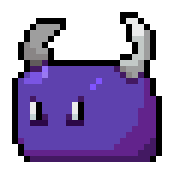
Pixel-art purple Horn Slime enemy from the typing game Zombie Shooter

Horn Slime Enemy

The speedy charger — 1.5× faster than the rest.

The Horn Slime is the slime that hit the gym. It rushes the centre noticeably faster than everything around it, so the right call is almost always to deal with it first. Spot the purple horns on the edge of the screen and start typing its word immediately.

Loves
Head-on charges · Shiny horns · Catching typists off guard
Dislikes
Being read early · Short, sharp words · Anyone who blinks
  • Moves 1.5× as fast as the wave's base enemy speed.
  • About a quarter of regular spawns.
  • Plays a death animation when defeated.

Bosses

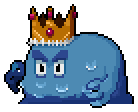
Pixel-art King Slime boss wearing a gold crown, from the typing game Zombie Shooter

King Slime Boss

Boss encounter #1 — and every third boss after.

The King Slime holds court at the end of the first few waves. He demands to be answered in whole sentences, not single words — so keep your eyes on the line he shows and type it out cleanly. Defeat him and the kingdom rewards you with an extra point of max health.

Loves
His crown · Dramatic entrances · Being addressed as "Your Majesty"
Dislikes
Commoners who type fast · Crooked crowns · Anyone ignoring his sentences
  • First boss in the cycle: King Slime → Orc → Armor Orc → repeat.
  • Defeated by typing his full sentences, not single words.
  • Beating any boss grants +1 max HP (up to a cap of 20).
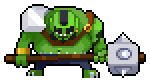
Pixel-art green Orc boss carrying a spiked mace, from the typing game Zombie Shooter

Orc Boss

Boss encounter #2 — hits hard, moves in bursts.

The Orc is all muscle and momentum. He stalks the arena, winds up an attack, then falls back to reset. Every sentence you finish chips his health bar down; every stumble gives him another swing at your HP. Keep a steady cadence and he goes down like a tree.

Loves
Heavy maces · A good brawl · Winding up for one big swing
Dislikes
Fast fingers · Dodgy sentences · Retreating (unless it is his idea)
  • Second boss in the cycle.
  • Like every boss, telegraphs each attack with a short wind-up, then retreats.
  • A successful boss attack costs 1 HP.
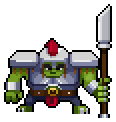
Pixel-art Armor Orc boss in plate armor holding a spear, from the typing game Zombie Shooter

Armor Orc Boss

Boss encounter #3 — the armored heavyweight.

The Armor Orc is the toughest of the first three bosses: same relentless pressure as his cousin, now with plate and a long spear. Fights get longer the further you are into a run, so accuracy matters more than raw speed — a clean sentence beats a fast, messy one every time.

Loves
Polished plate · Tall spears · Marching in formation
Dislikes
Rust · Typos in his sentences (they make him smug) · Players with full health
  • Third boss in the cycle, then the cycle restarts with King Slime.
  • Boss fights grow from 5 up to 10 sentences as encounters stack up.
  • Like every boss, drops a heal item after the second sentence — type its word to collect it.

Character sprites by Merchant Shade — see the 16x16 Puny Characters pixel-art character pack on itch.io, published by Merchant Shade on itch.io.